
For administrators to request access to the Rogers ordering portal, please email voipsupport@utoronto.ca and a Service Now ticket will be created.
Once your access is set up, go to the site: Rogers Direct
To submit an order:
Sign in, select the option for your request, enter the existing Rogers account number (or leave blank to create a new account) and choose invoice for “Hardware Billing option”:
The options are:
- Buy a New Phone with a New Plan
This is the option for a new or porting number with hardware
- Hardware Upgrade
This is the option for existing users upgrading on a 3-year term to a new device
- Hardware Only
This option is for buying a device without a contract
- Activate a SIM Card
This is the option for ordering a number only; either new or porting from another network
Hardware pricing:
There are typically three options for hardware pricing
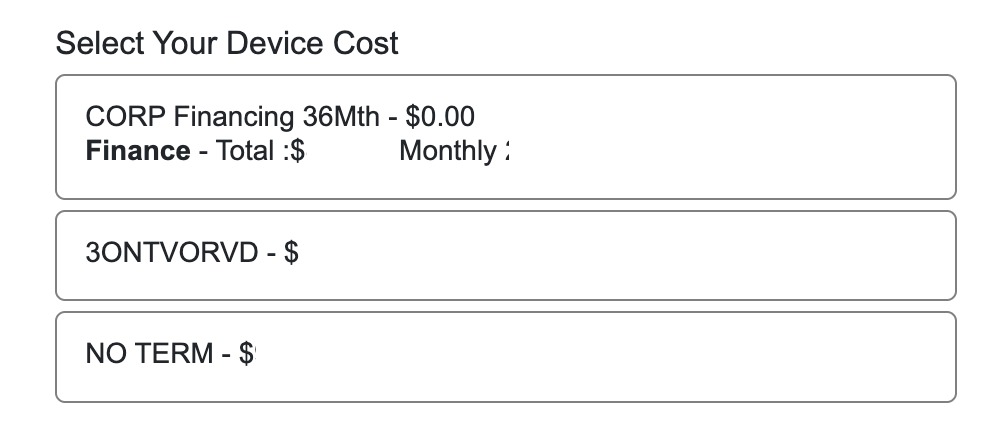
- Corp Financing is purchasing the device with a small upfront payment and monthly payments for 36 months
- 3ONTVORVD is the price of the phone on a 3-year term with the plan having 3 year term rates
- NO TERM is the full cost of the phone without a contract
Plans:
When choosing the plan with hardware there are two options; Domestic or Canada + US:

When choosing the plan for SIM-Only, there are three valid options; Voice Only, Domestic or Canada + US:
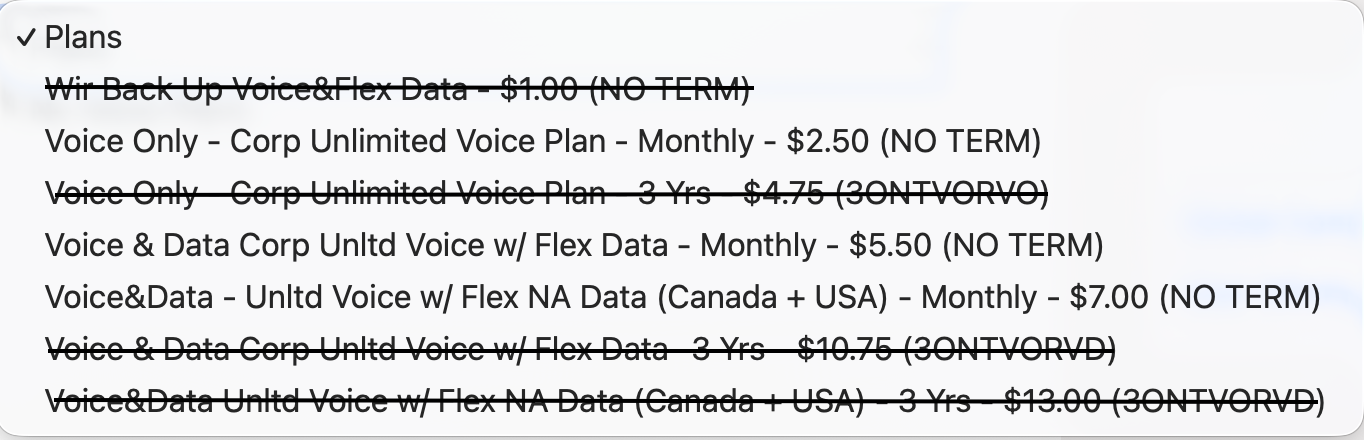
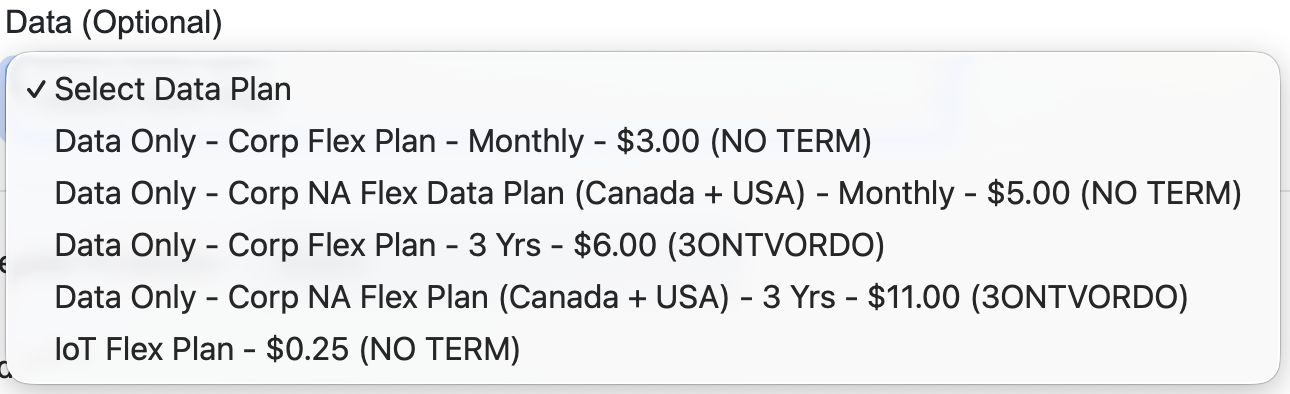
When choosing a plan for Data Only, there are options for Data-Only No Term, Data-Only Canada + US No Term, Data-Only 3-year term (when purchasing data device), Data-Only 3-year term Canada + US
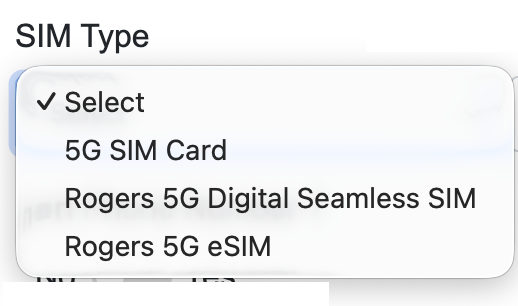
SIM Type:
The standard option is 5G SIM card, a physical SIM card. If an eSIM is required, choose 5G eSIM
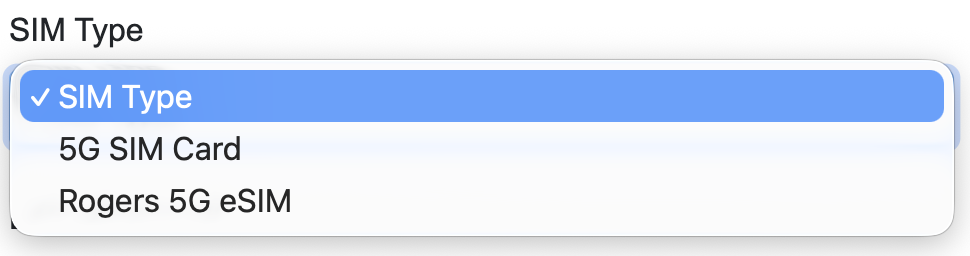
For iPhone 17 there is another option; 5G Digital Seamless SIM
Porting a number from another network:
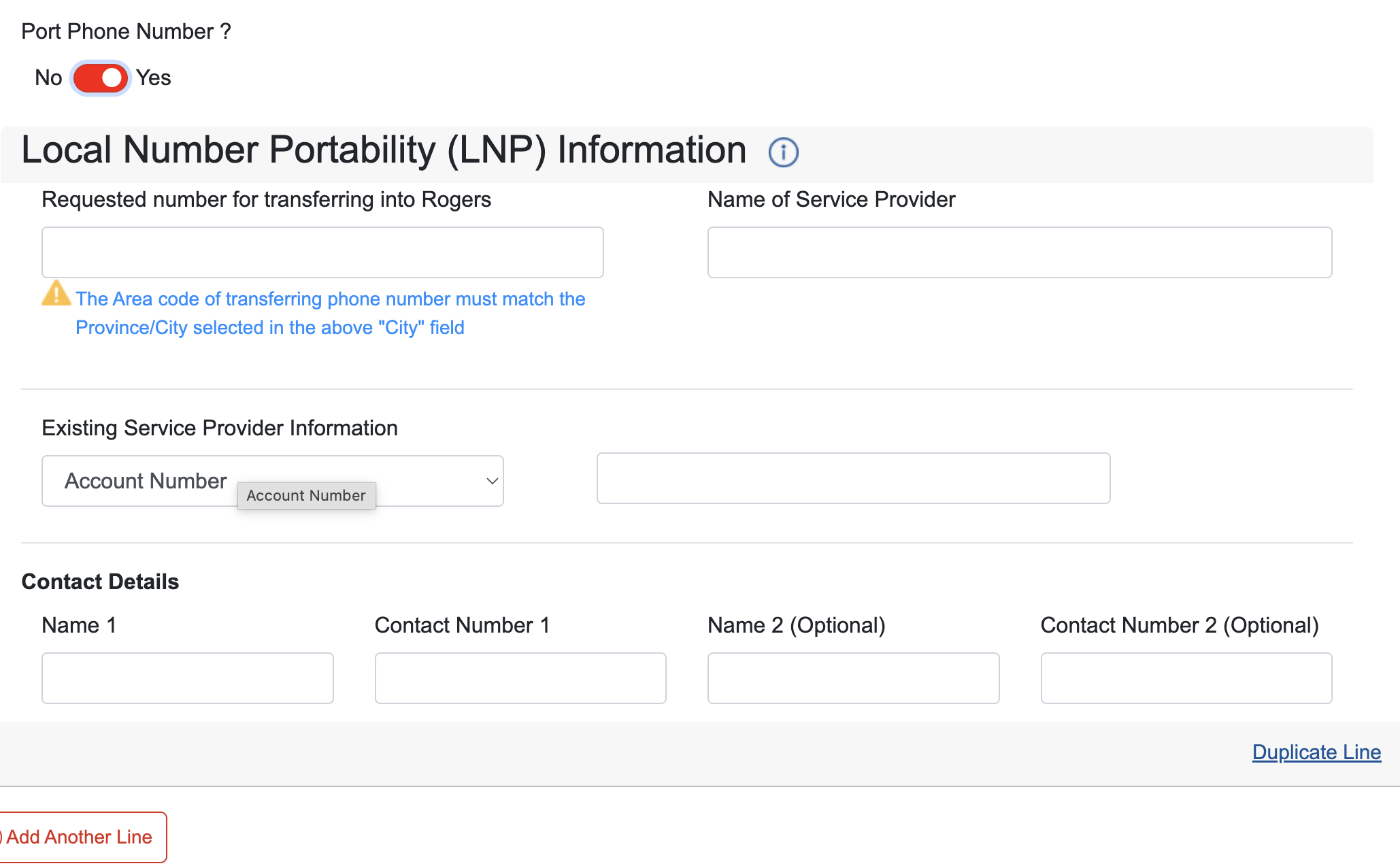
When the request includes porting from one network to another, you have to toggle “Yes” to the “Port Phone Number?” field.
This will automatically populate more fields to enter the porting information:
More details:
The Cost Centre number, VoIP Billing number and Business Officer Email is required for the order.

If the VBN is unknown, please enter the Fund Centre number in the VBN field.
The Business Officer email captured in this field is the Business Officer / Financial Officer / Manager that will be set up with access to manage the account on the billing portal.